



💾 Linux RAM disk persistent with Systemd timer, service and suspend
Change log
Breaking change
Install
sudo npm install -g p3x-ramdisk --unsafe-perm=true --allow-rootIntelliJ Speed
Based on: http://sheroz.com/pages/blog/improving-development-performance-moving-intellij-idea-cache-ramdisk.html
After all these tricks I tried to open my current project with IntelliJ IDEA 12 …
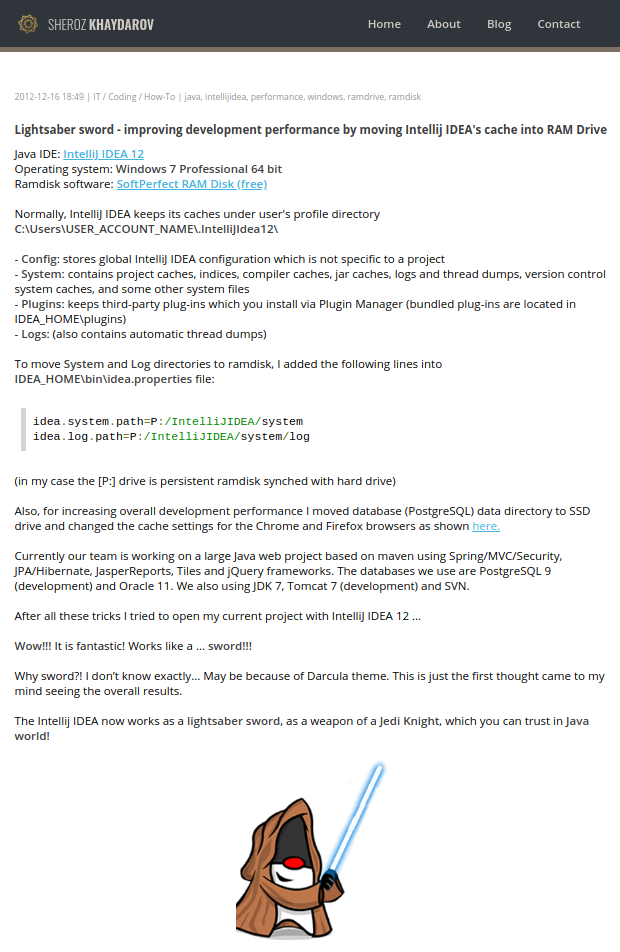 http://sheroz.com/pages/blog/improving-development-performance-moving-intellij-idea-cache-ramdisk.html
After all these tricks I tried to open my current project with IntelliJ IDEA 12 …

Wow!!! It is fantastic! Works like a … sword!!!

Why sword?! I don’t know exactly. May be because of Darcula theme. This is just first thought what came to my mind seeing the overall results.

The Intellij IDEA 12 now works as a lightsaber sword, as a weapon of a Jedi Knight, which you can trust in Java world!
Features
- Requires tmpfs, bash, fstab, rsync, memory :)
- Usually, all requirements are available in many Unix flavors
- SystemD
- Service
- Timer
- Suspend
- RAM disk to HDD
- Linux for sure, easy to extend for Unix, BSD, macOS
- Should might need some tuning, but the functions are there, I just only tested in Linux.
Intel Optane
I think my ramdisk is faster. Ciao!!! (:
Use case
Speed up IntelliJ and development Node. (Tons of files.)
The result is that the development is many folds faster. No waiting at all.
Changelog
Install
Warning
Do not use the $USER variable, use the actual username, like p3x-robot.
So actual install
patrikx3@workstation ~ $ p3x-ramdisk install --help

  Usage: install [options] <uid>


Install a p3x-ramdisk


  Options:

    -h, --help               output usage information
    -r, --rampath [path]     The path of the ram disk, default /home/{{USER}}/ramdisk
    -p, --persistent [path]  The path of the ram persistent, default /home/{{USER}}/ramdisk-persistent
    -g, --gid [group]        The gid, it you omit it is the current user
    -t, --timer [minutes]    The timer in minutes, minimum about 10 minutes, Default is 20 minutes, the best
    -s, --size [megabytes]   Ramdisk in size of megabytes, default is 4096 megabytes
IMPORTANT
Trash is disabled in GNOME with p3x-ramdisk. It will ask for confirm to delete data. You might have it in the previous save. It is possible to enable trash bin, but for me is not important now, so I disabled, memory is not cheap.
Setup
Use GitHub for info, NPM hides wide strings.
https://github.com/patrikx3/ramdisk
# of course your data will never be deleted,
# double persistence (current, previouse, saves every 20 minutes)
# load on boot, plus at shutdown and suspend it saves

sudo npm install -g p3x-ramdisk --unsafe-perm=true --allow-root

# install
# if you need less/more memory, add -s 1024 or even more, 10GB is good :)
sudo p3x-ramdisk install {{USER}}

# Get the output, add to /etc/fstab
echo "tmpfs   /home/{{USER}}/ramdisk tmpfs   gid=10000,uid=10000,size=4096M   0 0" | sudo tee -a /etc/fstab
sudo mount -a
# you should verify the ramdisk is existing now, you might have to reboot
# on linux it can show your settings, like below:
df -h

# if there is an error, you can
sudo p3x-ramdisk stop {{USER}}

# if all good
# STARTUP THE RAMDISK PERSISTENT
sudo p3x-ramdisk start {{USER}}

# you can work like here (this a symlink, so you can't accidentally delete
# so next time boot, it will re-create the symlink ...)
# /home/{{USER}}/ramdisk/p3x-persistence

# SOME DEBUG
p3x-ramdisk watch {{USER}}

# to trigger a savs
p3x-ramdisk save {{USER}}

# you don't need usually to save
# the default is 20 minutes
# the systemd service saves on suspend and shutdown


# to stop the services
# removes sync, so the ramdisk files will be unavailable,
# only be in /home/username/ramdisk-persistent/current
sudo p3x-ramdisk stop {{USER}}

# your duplicate copies are
ls -all /home/{{USER}}/ramdisk-persistent/current/
ls -all /home/{{USER}}/ramdisk-persistent/previous/

# you are done
# the default use case is to speed up working with IntelliJ and my projects to ramdisk
# if you just want persistent folder and that's all
# there is a special folder, .p3x-ramdisk-link
# everything there is linked into /home/{{USER}}
# if there is nothing in .p3x-ramdisk-link
# no linking is. to test it, you might not need it.
Linkin' in /home
### //LINKING:START
# LINKING - IS NOT REQUIRED, but is good as a sword :)
p3x-ramdisk save {{USER}}
sudo p3x-ramdisk stop {{USER}}
mkdir -p /home/{{USER}}/ramdisk-persistent/current/.p3x-ramdisk-link

cp -avr /home/{{USER}}/.IntelliJIdea2019.2 /home/{{USER}}/ramdisk-persistent/current/.p3x-ramdisk-link

# backup
mkdir -p /home/{{USER}}/backup
mv /home/{{USER}}/.IntelliJIdea2019.2 /home/{{USER}}/backup/

# need to delete the originals, since they become symlinks
rm -rf /home/{{USER}}/.IntelliJIdea2019.2

ln -s  /home/{{USER}}/ramdisk-persistent/current/.p3x-ramdisk-link/.IntelliJIdea2019.2 /home/{{USER}}/.IntelliJIdea2019.2

sudo p3x-ramdisk start {{USER}}
### //LINKING:END
Output
Install
patrikx3@laptop:~/ramdisk/.p3x-ramdik-persistence/content/.p3x-ramdisk-link/Projects/patrikx3/ramdisk$ sudo p3x-ramdisk install patrikx3 -s 6144
2018-05-08 00:30:08: terminal install

2018-05-08 00:30:08: terminal copy

2018-05-08 00:30:08: terminal suspend

2018-05-08 00:30:08: terminal reload services

2018-05-08 00:30:08: terminal install done


Settings: {
  "rampath": "ramdisk",
  "persistent": "ramdisk-persistent",
  "uid": "patrikx3",
  "uidNumber": 10000,
  "gid": "patrikx3",
  "timer": 20,
  "size": "4096",
  "home": "/home/patrikx3",
  "script": "/home/patrikx3/.p3x-ramdisk"
}

Final commands:
--------------------------
1) You only have to do it once, if you haven't done it before

echo "tmpfs   /home/patrikx3/ramdisk tmpfs   gid=10000,uid=10000,size=4096M   0 0" | sudo tee -a /etc/fstab
sudo mount -a

--------------------------
2) verify that ramdisk is working, see it here

df -h

--------------------------
3) if everything is ok, start the persistent ramdisk

sudo p3x-ramdisk start {{USER}}

patrikx3@laptop:~/ramdisk/.p3x-ramdik-persistence/content/.p3x-ramdisk-link/Projects/patrikx3/ramdisk$
Watching the RAM disk
p3x-ramdisk watch {{USER}}Filesystem Size Used Avail Use% Mounted on
tmpfs 4,0G 2,0G 2,1G 50% /home/patrikx3/ramdisk
total used free shared buff/cache available
Mem: 31G 3,3G 18G 2,0G 9,8G 25G
Swap: 8,0G 0B 8,0G
Load: 2018-05-27 09:01:49 2018-05-27 09:01:56 0 minutes 7 seconds
Save: 2018-05-27 09:20:00 2018-05-27 09:20:16 0 minutes 16 seconds
2018-05-27 09:20:00: timer save, ramdisk to current
2018-05-27 09:20:00: timer save /home/patrikx3/ramdisk/.p3x-ramdik-persistence/content to /home/patrikx3/ramdisk-persistent/current
2018-05-27 09:20:16: timer saved
2018-05-27 09:20:16: timer save done
2018-05-27 09:20:16: timer 0 minutes 16 seconds
5/27/2018, 9:24:45 AM | Persistence 20 minutes | Watch 1 secondLOGS
/home/{{USER}}/ramdisk-persistent/ramdisk-persistent.log/home/{{USER}}/ramdisk-persistent/update-at-load.log/home/{{USER}}/ramdisk-persistent/update-at-save.log
LOG info
2018-05-06 02:57:37: boot loading
2018-05-06 02:57:37: boot load /home/patrikx3/ramdisk-persistent/current to /home/patrikx3/ramdisk/.p3x-ramdik-persistence/content
2018-05-06 02:57:47: boot loaded
2018-05-06 02:57:47: boot link
2018-05-06 02:57:47: boot link /home/patrikx3/ramdisk/.p3x-ramdisk-persistence/content/.IntelliJIdea2018.3 to /home/patrikx3/.IntelliJIdea2018.3
2018-05-06 02:57:47: boot link /home/patrikx3/ramdisk/.p3x-ramdisk-persistence/content/Projects to /home/patrikx3/Projects
2018-05-06 02:57:47: boot link done
2018-05-06 02:57:47: boot 0 minutes 10 seconds

2018-05-06 02:57:47: timer save
2018-05-06 02:57:47: timer save, current to previous
2018-05-06 02:57:47: timer save /home/patrikx3/ramdisk-persistent/current to /home/patrikx3/ramdisk-persistent/previous
2018-05-06 02:57:50: timer saved
2018-05-06 02:57:50: timer save, ramdisk to current
2018-05-06 02:57:50: timer save /home/patrikx3/ramdisk/.p3x-ramdisk-persistence/content to /home/patrikx3/ramdisk-persistent/current
2018-05-06 02:57:53: timer saved
2018-05-06 02:57:53: timer save done
2018-05-06 02:57:53: timer 0 minutes 6 seconds
LOG Update
2018-05-06 03:31:51
2018-05-06 03:31:57
0 minutes 6 seconds
Thunder ramdisk persistence
patrikx3@workstation ~/ramdisk-persistent/current/.p3x-ramdisk-link $ ll
total 32
drwxr-xr-x 8 patrikx3 patrikx3 4096 May 7 13:04 ./
drwxr-xr-x 3 patrikx3 patrikx3 4096 May 7 13:02 ../
drwxr-xr-x 4 patrikx3 patrikx3 4096 Apr 25 17:51 .IntelliJIdea2018.3/
patrikx3@workstation ~/ramdisk-persistent/current/.p3x-ramdisk-link $  Meet Assistant SaaS — meeting.corifeus.com
Don't want to install anything? Try the hosted version at meeting.corifeus.com — full meeting workflow built for European businesses, no setup, no API key, no command line.
What the hosted version offers:
- 21-language live translation during the meeting
- AI summaries, action items, decisions, attendees, key quotes auto-generated after every meeting
- Custom vocabulary — your client / company / industry terms corrected automatically (Pro+ tier)
- Searchable meeting library — find any decision or promise across all your past meetings
- Shareable read-only links — send a clean meeting summary to a client or teammate, no signup needed on their end
- One-click email summary after each meeting
- Premium engine on every plan — no downgraded model, ever
- EU billing — Stripe Tax + VAT-compliant + EUR-priced (Solo €19.99 / Pro €39.99 / Business €99.99 per month, no lock-in)
- GDPR-compliant by default — browser-language auto-detection, no tracking cookies, your meetings stored encrypted
Try the live demo (1 minute free, no signup) or browse the public sample meeting at meeting.corifeus.com/sample .
Corifeus Network
AI-powered network & email toolkit — free, no signup.
Web · network.corifeus.com MCP · npm i -g p3x-network-mcp
- AI Network Assistant — ask in plain language, get a full domain health report
- Network Audit — DNS, SSL, security headers, DNSBL, BGP, IPv6, geolocation in one call
- Diagnostics — DNS lookup & global propagation, WHOIS, reverse DNS, HTTP check, my-IP
- Mail Tester — live SPF/DKIM/DMARC + spam score + AI fix suggestions, results emailed (localized)
- Monitoring — TCP / HTTP / Ping with alerts and public status pages
- MCP server — 17 tools exposed to Claude Code, Codex, Cursor, any MCP client
- Install —
claude mcp add p3x-network -- npx p3x-network-mcp - Try — "audit example.com", "why do my emails land in spam? test me@example.com "
- Source — patrikx3/network · patrikx3/network-mcp
- Contact — patrikx3.com · donate
 Support Our Open-Source Project
If you appreciate our work, consider  starring this repository or
  making a donation to support server maintenance and ongoing development. Your support means the world to us—thank you!
 About My Domains
All my domains, including patrikx3.com , corifeus.eu , and corifeus.com, are developed in my spare time. While you may encounter minor errors, the sites are generally stable and fully functional.
 Versioning Policy
Version Structure: We follow a Major.Minor.Patch versioning scheme:
- Major:
 Corresponds to the current year.
 - Minor:
 Set as 4 for releases from January to June, and 10 for July to December.
 - Patch:
 Incremental, updated with each build.
 Important Changes: Any breaking changes are prominently noted in the readme to keep you informed.
P3X-RAMDISK Build v2026.4.139


