




📚 P3X OneNote Linux
A Linux compatible version of OneNote.
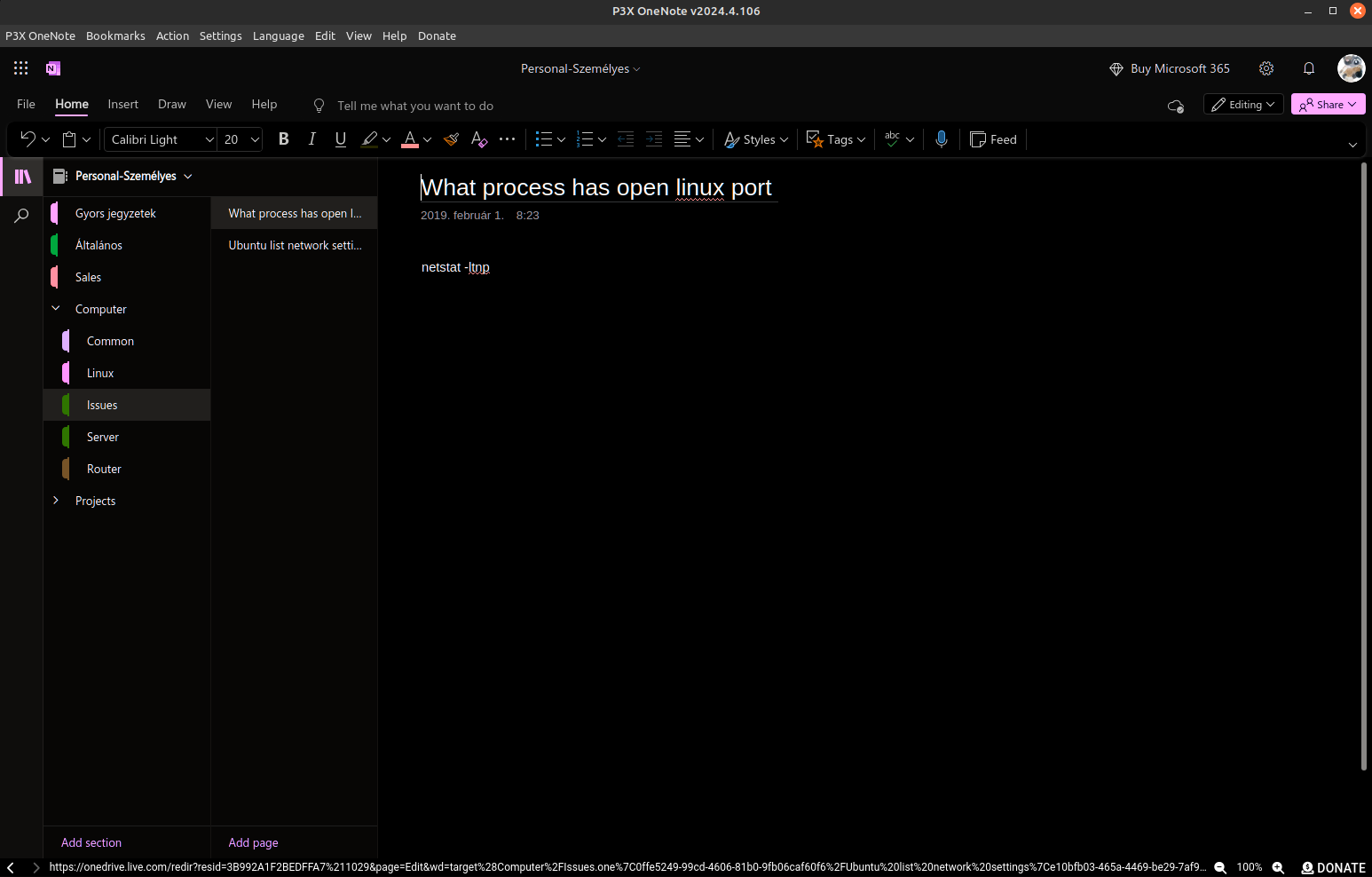 Screenshot
Features
P3X OneNote Linux is an independent browser window for the online OneNote, so you can use it without cluttering your browser.
Core highlights:
- Runs in its own process, independent from any browser
- System tray support — close the window and keep it running in the background
- Cached data for faster startup compared to opening a new browser tab each time
- Supports both corporate and personal Microsoft accounts
- Multiple account tabs — sign into multiple accounts simultaneously, each in its own isolated session. Tab labels automatically show the account email after login.
- Auto-updates when a new version is available
- Access other Microsoft online applications as well (dedicated purpose is OneNote)
Detailed Features
User interface:
- Press
ALTto access the menu - Desktop menu system integration
- Window zoom functionality
- Tab bar — add, switch, and close account tabs. Click
+to add a Personal or Corporate tab. Each tab shows the logged-in account email. - Tab drag-and-drop reordering — drag tabs left/right to rearrange them, order persists across restarts
- Tab renaming — right-click a tab to set a custom label (e.g. "Work", "Personal")
- Tab pinning — right-click a tab to pin it, preventing accidental closure
- Restore closed tabs — accidentally closed a tab? Use Action > Restore last closed tab to bring it back with the same login session (keeps up to 10 in history)
- Per-tab zoom — each tab remembers its own zoom level independently
- Dark mode (non-official workaround — may have minor inconsistencies since it is not directly supported by Microsoft)
- Dark mode follow system — automatically switches dark mode on/off when your OS theme changes (Settings > Dark mode > Follow system)
- Desktop notifications — enable native OS notifications via Settings toggle. Toasts (updates, bookmarks, offline status) also fire as system notifications when enabled. Clicking a notification brings the app to foreground.
- Auto language detection — auto-detects your OS language on first run and matches it to one of 30 supported translations. You can also select "Auto (system)" anytime from Settings > Language.
- Launch minimized with the
--minimizedargument
Navigation and clipboard:
- Bottom bar displays the current URL — click it to copy to clipboard
- Edit menu includes "Copy this location to the clipboard" option
- Remembers the last opened notebook (to the extent permitted by Online OneNote)
Settings (Menu > Settings):
- Close to the tray — when checked, minimizes to tray instead of exiting; when unchecked, closes completely on quit
- Proxy settings — configurable through the settings menu
- Auto-launch on login — start P3X OneNote on OS login, minimized to system tray. Available on AppImage, deb, and rpm (hidden on Snap/Flatpak where the OS manages autostart).
- Settings backup/restore — export all app settings (tabs, bookmarks, preferences) to a single JSON file and import them back. Useful when switching machines or reinstalling.
Other:
- Offline detection and auto-reload — detects network loss, shows "You are offline" notification, and automatically reloads all tabs when connectivity returns. Debounced to avoid reload spam on flaky connections.
- Report issue / request feature — quick menu item (Help > Report issue) to open a new GitHub issue directly from the app.
- Granular session cleaner — clear cookies, cache, or everything for all tabs or just the current tab (P3X OneNote menu > Clear data and restart)
- Multi-monitor safety — if you disconnect a monitor and the window would appear off-screen, it automatically centers on the primary display
- Bookmark folders — organize bookmarks into nested folders using
/separator (e.g.Work/Projects). Folders appear as submenus with icons in the Bookmarks menu.
 - Bookmark manager — full dialog to search, inline-edit, and delete bookmarks (Bookmarks > Manage bookmarks)
- Bookmark import/export — export bookmarks to JSON and import from JSON file (Bookmarks menu)
Corporate homemenu item — note: without a corporate login, debugging this feature is not possible. If issues arise, providing login details may help with troubleshooting.- Language: The language selector in P3X OneNote only controls the Electron app UI (menus, dialogs, buttons). To change the OneNote web content language, you must update your language in your Microsoft account profile . Translations are community-driven:
- Translation resources on GitHub
- Available languages: Afrikaans, العربية (Arabic), বাংলা (Bengali), Català (Catalan), Čeština (Czech), Dansk (Danish), Deutsch (German), Ελληνικά (Greek), English, Español (Spanish), Suomi (Finnish), Français (French), עברית (Hebrew), Magyar (Hungarian), Italiano (Italian), 日本語 (Japanese), 한국어 (Korean), Norsk (Norwegian), Nederlands (Dutch), Polski (Polish), Português (Portuguese), Română (Romanian), Русский (Russian), Српски (Serbian), Svenska (Swedish), Türkçe (Turkish), Українська (Ukrainian), Tiếng Việt (Vietnamese), 简体中文 (Simplified Chinese), 繁體中文 (Traditional Chinese)
- Single instance enforced — launching the app again brings the existing window to the foreground
Tab Right-Click Menu
Right-click any tab to access:
| Option | Description |
|---|---|
| Rename tab | Set a custom label for the tab |
| Clear custom name | Revert to default label (account type + email) |
| Pin tab | Prevent accidental closure |
| Unpin tab | Allow closing again |
| Duplicate tab | Create a new tab with the same URL and account type |
| Close tab | Close the tab (with confirmation for non-pinned tabs) |
Installation
All releases are available on the GitHub Releases page.
Snap
Available for amd64 and arm64 architectures.

Flatpak
Download from the releases page and install:
wget https://github.com/patrikx3/onenote/releases/download/v${VERSION}/P3X-OneNote-${VERSION}-x86_64.flatpak
flatpak install ./P3X-OneNote-${VERSION}-x86_64.flatpak
flatpak run com.patrikx3.onenote
The menu entry is integrated automatically.
AppImage, deb, rpm
AppImage, deb, and rpm packages auto-update themselves.
Setting up AppImage:
mkdir -p $HOME/opt
mv ~/Downloads/p3x-onenote-a.b.c-x86_64.AppImage $HOME/opt/
chmod +x $HOME/opt/p3x-onenote-a.b.c-x86_64.AppImage
# Then you can run it
$HOME/opt/p3x-onenote-a.b.c-x86_64.AppImage &
The app can also be found on ElectronJs Apps — search for P3X.
Windows
Windows builds are available. See Issue #168 for background.
macOS
Builds are available for both Intel and Apple Silicon architectures.
Removing quarantine on downloaded files:
If you download the zip file for the arm64 version, run the following command on the unzipped app to remove the macOS quarantine attribute:
sudo xattr -rd com.apple.quarantine P3X-OneNote.appThis allows the application to run without security interruptions from macOS.
NPM (for Node.js users)
Change Log
Development
- Use kebab-case for all file and folder names (not camelCase)
- Apply the
.editorconfigsettings in your IDE - To generate
rpmon Ubuntu:sudo apt-get install rpm - To build with NPM, move
electronfromdevDependenciestodependencies(the default setup is designed for AppImage distribution, not NPM) - Unit tests — the project uses Vitest for unit testing with CI integration via GitHub Actions
- GitHub mirror — the repository is automatically mirrored to GitHub during the publish flow using
p3x github mirror
Links
- P3X OneNote Linux Playground
- Corifeus P3X OneNote Linux
- AlternativeTo
- NPM Package
- Snap Store
- GitHub.IO Page
- Web Development (EN)
- Webfejlesztés (HU)
 Meet Assistant SaaS — meeting.corifeus.com
Don't want to install anything? Try the hosted version at meeting.corifeus.com — full meeting workflow built for European businesses, no setup, no API key, no command line.
What the hosted version offers:
- 21-language live translation during the meeting
- AI summaries, action items, decisions, attendees, key quotes auto-generated after every meeting
- Custom vocabulary — your client / company / industry terms corrected automatically (Pro+ tier)
- Searchable meeting library — find any decision or promise across all your past meetings
- Shareable read-only links — send a clean meeting summary to a client or teammate, no signup needed on their end
- One-click email summary after each meeting
- Premium engine on every plan — no downgraded model, ever
- EU billing — Stripe Tax + VAT-compliant + EUR-priced (Solo €19.99 / Pro €39.99 / Business €99.99 per month, no lock-in)
- GDPR-compliant by default — browser-language auto-detection, no tracking cookies, your meetings stored encrypted
Try the live demo (1 minute free, no signup) or browse the public sample meeting at meeting.corifeus.com/sample .
Corifeus Network
AI-powered network & email toolkit — free, no signup.
Web · network.corifeus.com MCP · npm i -g p3x-network-mcp
- AI Network Assistant — ask in plain language, get a full domain health report
- Network Audit — DNS, SSL, security headers, DNSBL, BGP, IPv6, geolocation in one call
- Diagnostics — DNS lookup & global propagation, WHOIS, reverse DNS, HTTP check, my-IP
- Mail Tester — live SPF/DKIM/DMARC + spam score + AI fix suggestions, results emailed (localized)
- Monitoring — TCP / HTTP / Ping with alerts and public status pages
- MCP server — 17 tools exposed to Claude Code, Codex, Cursor, any MCP client
- Install —
claude mcp add p3x-network -- npx p3x-network-mcp - Try — "audit example.com", "why do my emails land in spam? test me@example.com "
- Source — patrikx3/network · patrikx3/network-mcp
- Contact — patrikx3.com · donate
 Support Our Open-Source Project
If you appreciate our work, consider  starring this repository or
  making a donation to support server maintenance and ongoing development. Your support means the world to us—thank you!
 About My Domains
All my domains, including patrikx3.com , corifeus.eu , and corifeus.com, are developed in my spare time. While you may encounter minor errors, the sites are generally stable and fully functional.
 Versioning Policy
Version Structure: We follow a Major.Minor.Patch versioning scheme:
- Major:
 Corresponds to the current year.
 - Minor:
 Set as 4 for releases from January to June, and 10 for July to December.
 - Patch:
 Incremental, updated with each build.
 Important Changes: Any breaking changes are prominently noted in the readme to keep you informed.
P3X-ONENOTE Build v2026.4.150


